A guide for families

When a reading app doesn’t understand your child

Your child reads the line correctly, and the app says “try again.” It happens—and it can turn practice into frustration fast. Here’s why, and how to keep read-aloud time positive.

By the Echo Storybooks team · Updated September 27, 2026

A child looks frustrated after reading to a tablet while a parent stays close
If an app mishears a word, protect your child’s confidence first.

The short answer

Speech recognition is still much less accurate with children’s voices than with adults’. So treat the app’s feedback as encouragement, not a verdict: keep lines short, practice in a quiet spot, cheer the effort yourself, and choose apps that limit retries and move on instead of repeating “try again.”

Research comparing speech recognition across age groups found higher error rates for children than adults; results vary by dataset and system (published review). An app mishearing a child is not a measure of that child’s reading.

Why apps mishear kids

Higher, variable voicesChildren’s pitch and pronunciation are still developing.
Slow, careful readingSounding words out creates pauses that apps can misread.
Background noiseTV, siblings, and echoey rooms make recognition harder.
Soft voicesShy or tired readers often speak quietly.

Set up practice to go well

  1. Find a quiet spot
    Turn off the TV and sit a little away from siblings.
  2. Keep the device close
    A normal speaking voice near the device works better than shouting across the room.
  3. Listen first
    Hearing the line modeled first makes the try smoother.
  4. You are the real judge
    If your child read it well, say so—whatever the app thought.

What to look for in feedback design

Parents in app-store reviews of reading apps describe children becoming frustrated when the app doesn’t give them time to sound words out or misreads what they said (App Store reviews, checked September 2026).

How Echo Storybooks handles it

One line at a timeYour child hears the line, then says it.
One gentle retryIf a line doesn’t go well, the app offers one more try—then moves on.
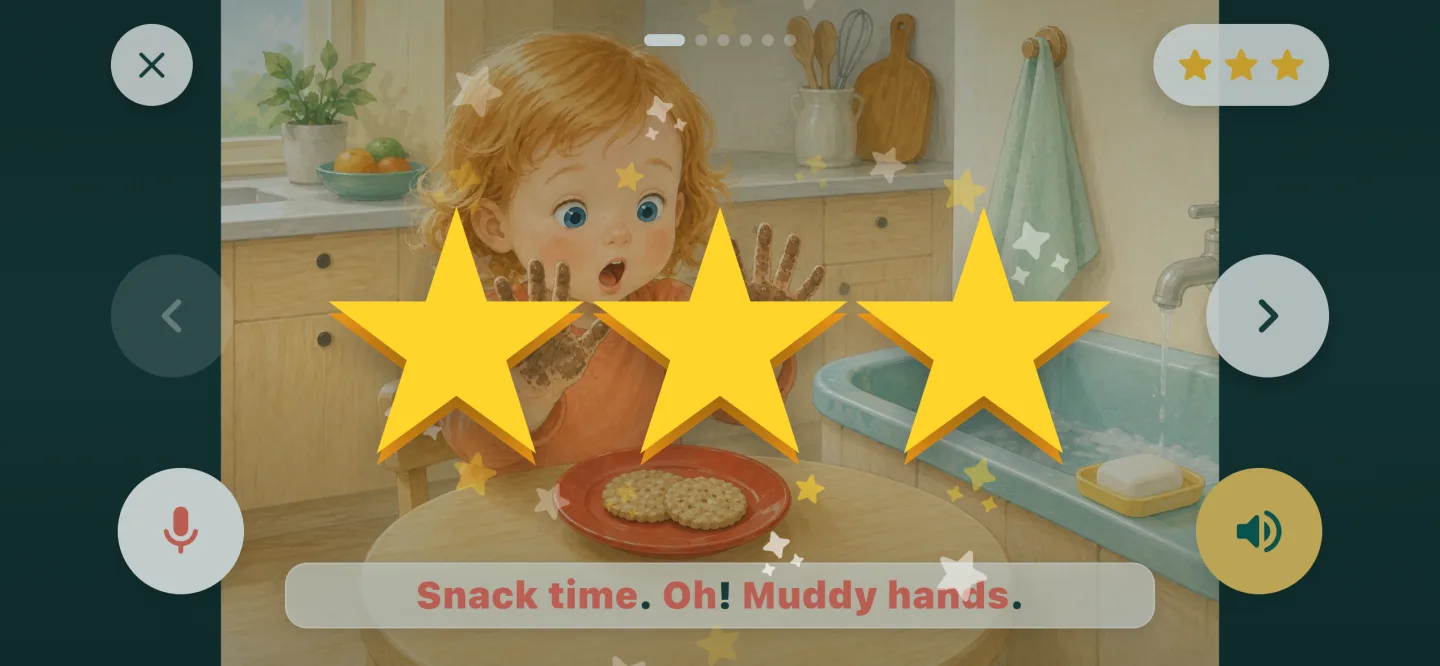
Stars and cheer1–3 stars and a word of encouragement. No harsh scores.
Listen anytimeEvery story also works in listening mode, with no microphone needed.
Stars and encouragement after reading aloud in Echo Storybooks
Every try gets stars and a word of cheer.

Like any speech-recognition app, it won’t always hear your child perfectly. That’s why it’s designed to encourage and keep the story moving.

Quick questions

Why does the app say my child was wrong when they weren’t?

Speech recognition is less accurate with children’s voices, especially young, soft, or slow readers. Treat the feedback as encouragement and trust what you heard.

Should we keep practicing if my child gets frustrated?

Switch to listening for the rest of the story and try reading aloud another day. Keeping it positive matters more than finishing.

Does a better microphone help?

A quiet room and keeping the device close usually help more than special equipment.

Try it with your child

Practice that stays positive.

One line at a time, one gentle retry, and plenty of cheer. 100+ original picture books, and 2 books free forever.

Download on the App Store